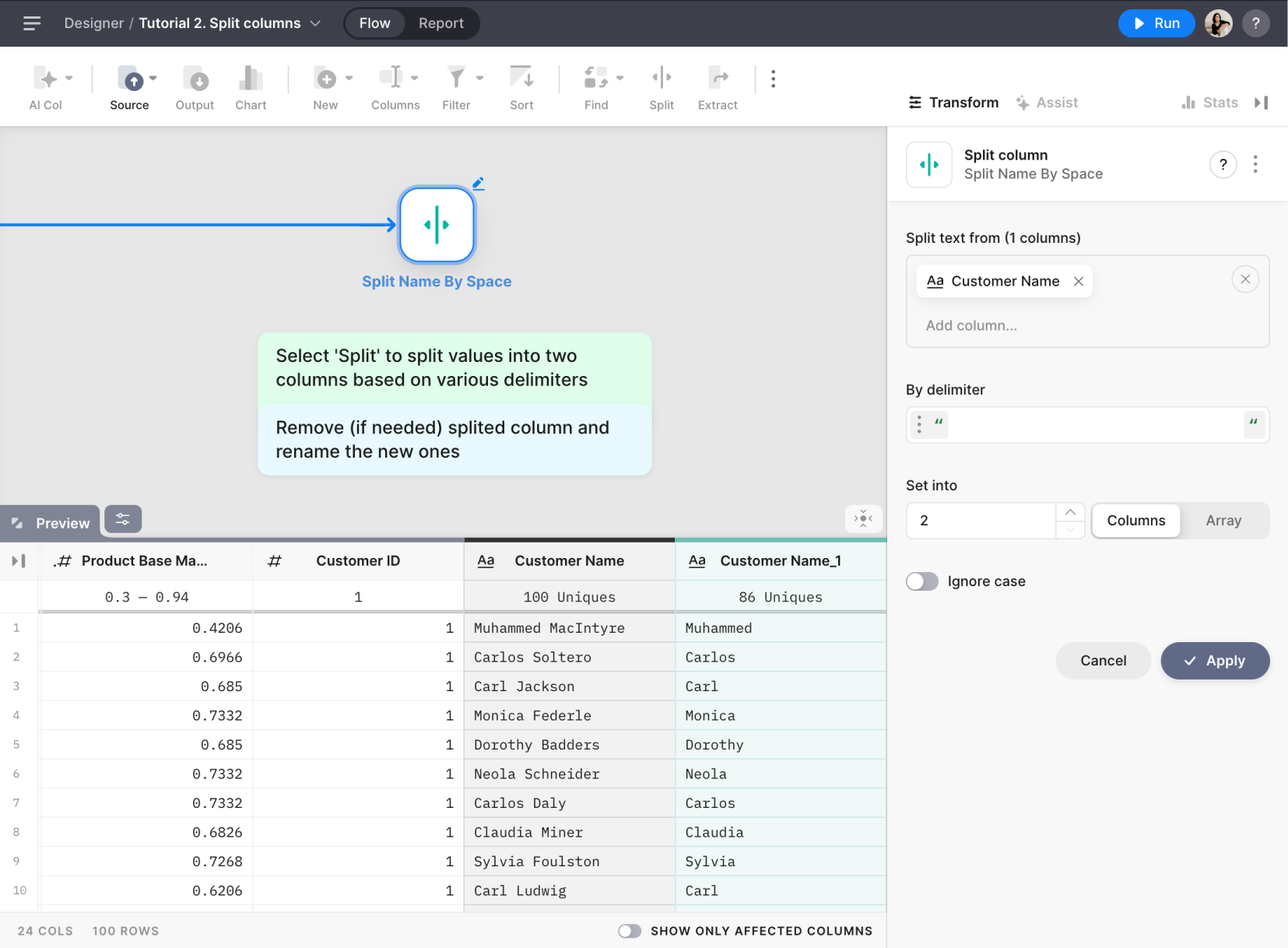
> For the complete documentation index, see [llms.txt](https://docs.tabula.io/llms.txt). Markdown versions of documentation pages are available by appending `.md` to page URLs; this page is available as [Markdown](https://docs.tabula.io/data-flows/tools-nodes/columns-operations/split-column.md).
# Split Column
Splits column(s) based on a specified delimiter
## Overview
The Split Node allows you to split text from one or multiple columns in your dataset into separate columns or arrays based on a specified delimiter.
## **Settings**
#### **Split text from**
Select one or multiple columns you want to split in the "Split text from" property. The selected columns should contain text data that will be split using a specified delimiter.
#### **By delimiter**
Specify the delimiter to split the text using the "By delimiter" property. You can choose between a text delimiter or a regular expression (regex) delimiter:
1. Text delimiter: Enter a simple text string that will be used to split the column values.
1. Regex delimiter: Enter a regular expression (regex) pattern that will be used to split the column values. Find out how to use Regex [Using Regex](/tutorials/using-regex.md) and the list of supported tokens [Regex: List of Tokes](/data-transformation/formulas/regex-list-of-tokes.md)
#### **Set into**
In the "Set Into" property, choose one of the following options for the output format:
#### **Array**
If you select "Array," the Split Node will create a new column containing arrays with the split parts of the original text.
#### **Columns**
If you select "Columns," the Split Node will create separate columns for each split part of the original text. You need to specify the number of columns to be created. By default, two columns will be created.
#### **Ignore case**
When this option is enabled, the Split Node will not differentiate between uppercase and lowercase characters in the delimiter.