> For the complete documentation index, see [llms.txt](https://docs.tabula.io/llms.txt). Markdown versions of documentation pages are available by appending `.md` to page URLs; this page is available as [Markdown](https://docs.tabula.io/data-flows/tools-nodes/json-and-api/from-json.md).
# From JSON
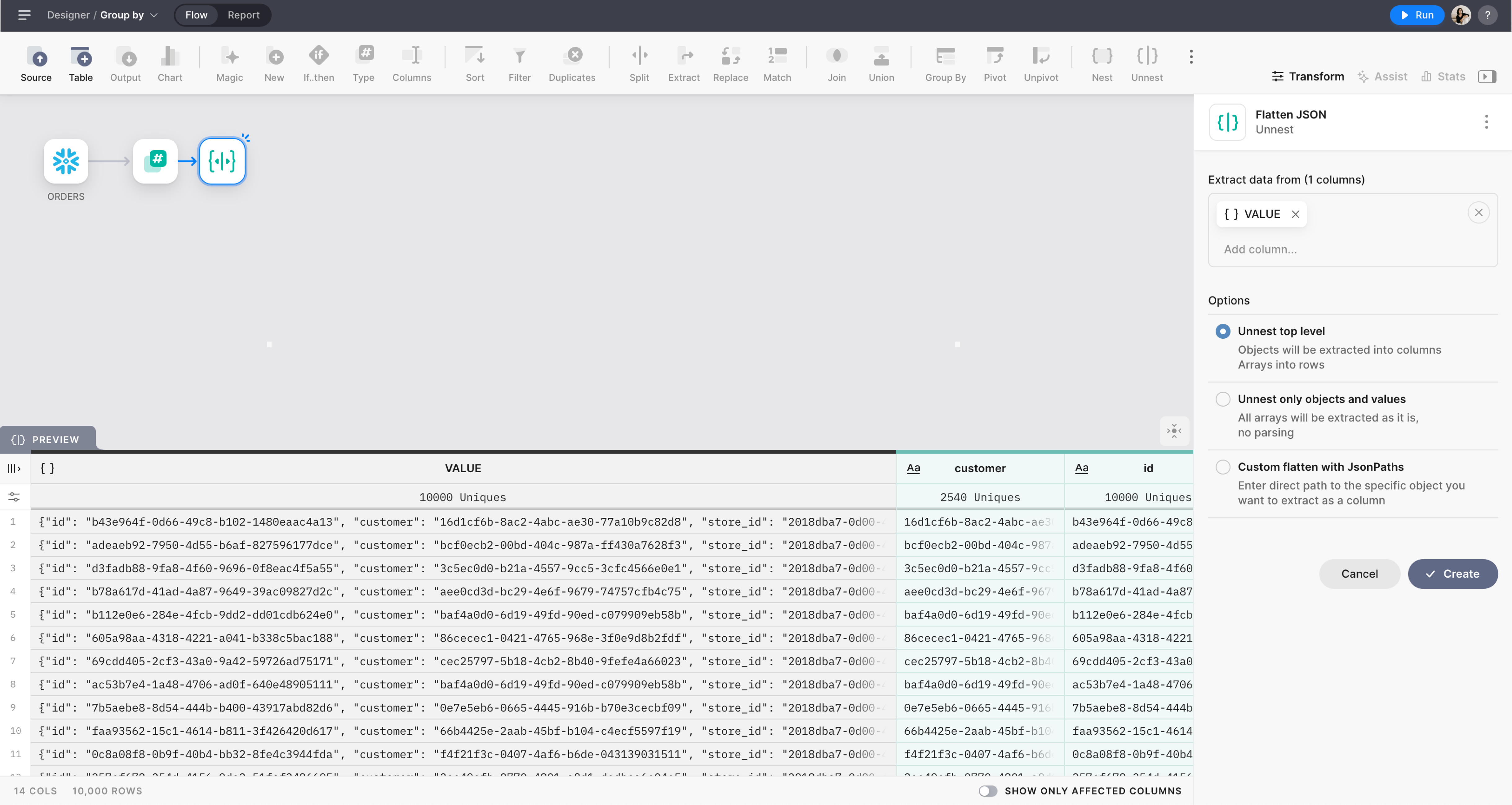
Flatten JSON to columns and rows
## Overview
The From JSON Node allows you to expand structured data fields, like arrays or objects, back into individual columns and rows. Adding this node lets you deconstruct complex column structures to enable easier analysis and reporting.
The opposite transform is [Nest](broken://pages/WdcUcPtnDPdhdXKiCOtM).
## Settings
#### Extract data from
Select columns containing JSON you want to expand. Columns should have an Array or Object type. If more than one column is selected, all the columns should have the same structure and type.
#### Options
Select an option to automatically extract values from JSON or set manual paths to specific values.
**Unnest top level**
This option automatically recognizes the column type and extracts Objects into columns and Arrays into rows.
**Unnest only objects and values**
All arrays will be extracted as it is, with no parsing.
**Custom flatten with JsonPaths**
Specify the paths manually using JSON Path language. Set the cursor inside the field to get field suggestions. Select the field or press "Tab" to add it to the path.

#### Compare the Options
Consider the selected column contains the following JSON:
{% code overflow="wrap" %}
```json
{
"Name": {
"FirstName": "Mike",
"SecondName": "Blank",
},
"Nationality": ["USA", "Poland"],
"BirthYear": 1980
}
```
{% endcode %}
The result of "Unnest top level":
| Name | Country | BirthYear |
| ------------------------------------------------- | ------------------ | --------- |
| { "First Name": "Mike", "Second Name": "Blank", } | \["USA", "Poland"] | 1980 |
The result of "Unnest only objects and values":
| Name.FirstName | Name.SecondName | Country | BirthYear |
| -------------- | --------------- | ------------------ | --------- |
| Mike | Blank | \["USA", "Poland"] | 1980 |