> For the complete documentation index, see [llms.txt](https://docs.tabula.io/llms.txt). Markdown versions of documentation pages are available by appending `.md` to page URLs; this page is available as [Markdown](https://docs.tabula.io/data-flows/tools-nodes/json-and-api/to-json.md).
# To JSON
Creates Objects or Arrays in JSON format from the specified columns
## Overview
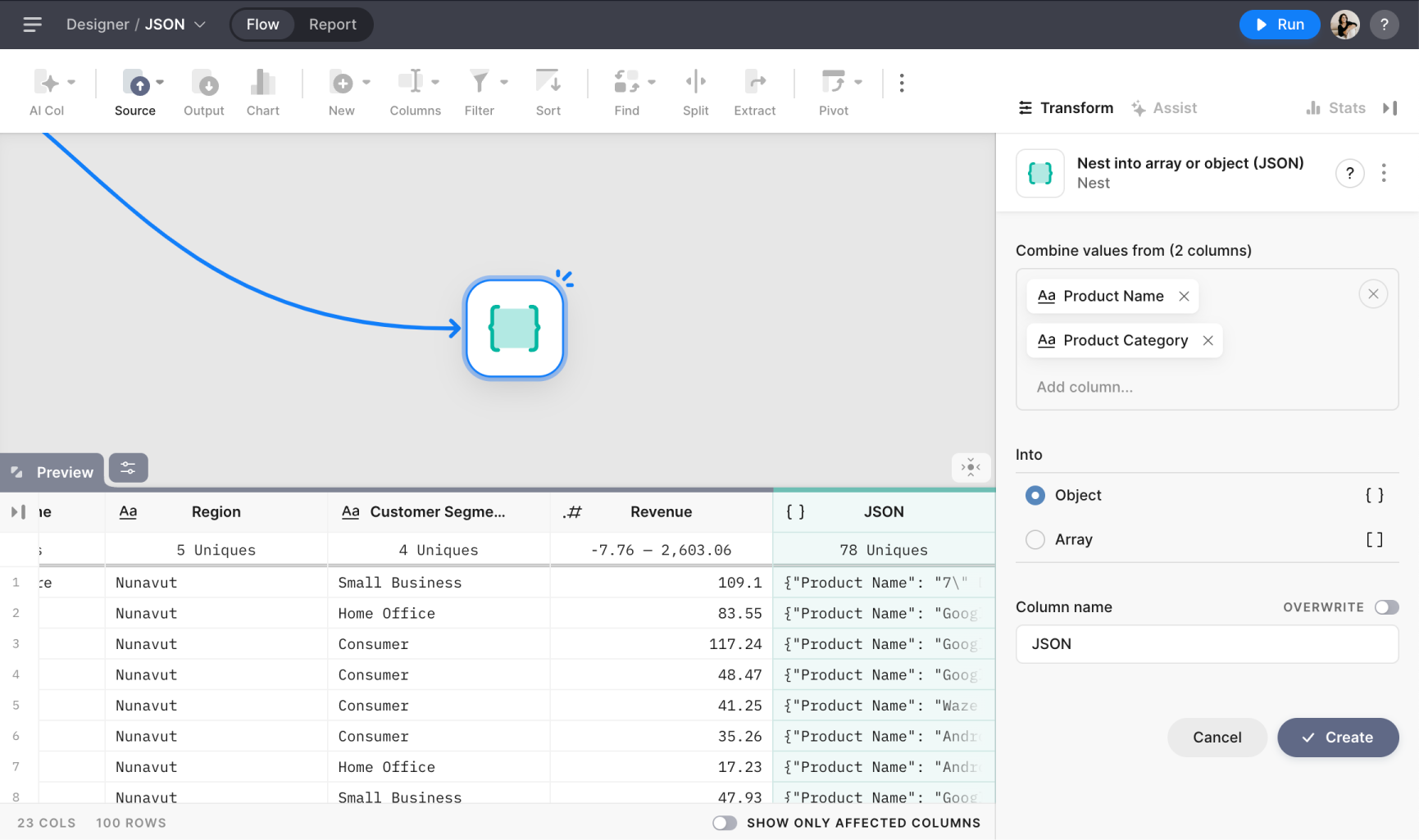
The To JSON Node provides a powerful way to combine multiple columns into a single column with structured data, such as arrays or objects. This is especially useful when dealing with hierarchical or relational data and wanting to keep related values bundled together.
## Settings

#### Combine values from
Select one or multiple columns that you want to combine into JSON.
#### Into
Choose a type of JSON to combine all columns into: an array or object.
Object. When an object type is selected, the column name is used as a key name, and column values as values.
```
{
"Gender": "M",
"Country": "USA",
"BirthYear": 1980
}
```
Array. If you select array type information about column names will be lost.
```
["USA", "M", 1980]
```
#### Column name
Enter a name for the new column or select the column you want to overwrite. If you want to overwrite values in an existing column, enable toggle **Overwrite** and select the required column.